
VLC for Windows
The classic desktop build.
VLC for Windows ships as one installer that carries every codec the player needs, so there is no separate codec pack to hunt down afterwards. That single design decision is why it opens the files other players refuse: MKV releases with a dozen subtitle tracks, footage from action cameras that never got a proper container, half-downloaded AVI files that stall everywhere else.
This page covers the desktop build only. Below you will find which file to pick, what the installer actually changes on your machine, how to get hardware decoding working on older hardware, and what to check when a file will not open at all.
- Version
- Version 3.0.23
- Requirements
- Windows 7+ (32-bit & 64-bit)
Downloads are served directly from the official VideoLAN servers. Always get VLC from official sources.
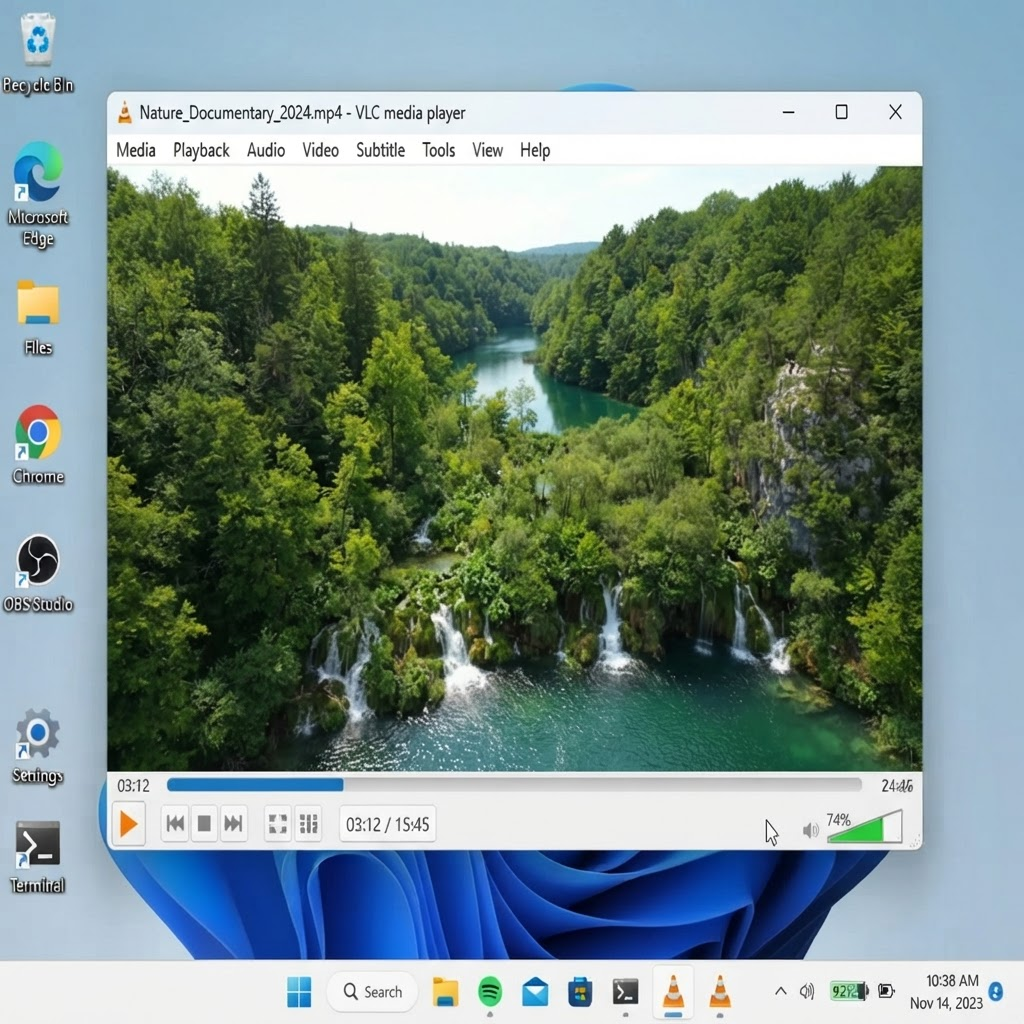
File details
- Architecture
- 32-bit and 64-bit builds
- Package type
- .exe installer, portable .zip also published
- License
- GPLv2 or later, free for personal and commercial use
- Publisher
- VideoLAN non-profit project
- Installer language
- Follows system locale, English fallback
System requirements
- Minimum OS
- Windows 7 with Service Pack 1
- Recommended OS
- Windows 10 or 11, 64-bit edition
- Processor
- Any x86 or x64 CPU with SSE2
- Memory
- 512 MB to launch, 2 GB or more for 4K playback
- Graphics
- Direct3D 11 capable GPU for hardware decoding
How to install
- 1
Download the installer.
- 2
Run the .exe and follow the wizard.
- 3
Launch VLC and open any file.
Which Windows build to pick
Almost everyone wants the 64-bit installer. It can address more memory, which matters for 4K files and for long videos where the buffer keeps growing during seeking. The 32-bit build still exists for genuinely old machines and for a handful of 32-bit-only Windows installations, and it will play ordinary 1080p content just as well.
The portable zip is the option most people overlook. Extract it to a folder or a USB stick and VLC runs without writing anything to the registry or the Start menu, which is useful on a work laptop you do not administer, or on a machine where you want to test a second version without disturbing the installed one. The portable build does not register file associations, so double-clicking a video will still open whatever is currently set as default.
What the installer changes
The setup wizard asks for a destination folder, then a Start menu entry, then whether to create a desktop shortcut. On the file association screen it offers to become the default handler for video and audio formats; this is opt-in and safe to decline if you already have a preference.
The installer does not bundle toolbars, browser extensions or any third-party offer. If a download page shows you a "download manager" or an extra checkbox before the real installer, you are not on an official mirror and should close the tab. The correct file is a single executable around 40 MB with a digital signature from VideoLAN.
Turning on hardware decoding
Hardware decoding is set to Automatic by default, and on modern integrated graphics it usually does the right thing. When 4K HEVC or VP9 files drop frames anyway, check the setting directly: open Tools, then Preferences, then the Input / Codecs tab, and look at Hardware-accelerated decoding. Auto is the safe default; Direct3D11 is the explicit choice on recent Windows builds; Disable is the fallback for machines where the GPU driver produces a green or black picture.
If audio plays but the image is black, the decoder is failing rather than the file being broken. Switch the setting to Disable, restart the player, and see whether the picture returns. A stale graphics driver causes the same symptom, so updating it is worth trying before you start converting files.
Network streams, disc images and DVDs
Media, then Open Network Stream accepts URLs directly: HTTP, RTSP from IP cameras, RTMP from a live encoder, and SMB paths in the form smb://server/share/file.mkv. Dragging an ISO onto the window mounts it as a virtual disc, which is the quickest way to watch a disc image without burning it.
Retail DVDs generally play out of the box, with one caveat. Encrypted commercial discs need the libaacs and libbdplus libraries placed in the VLC program folder, and those libraries are not distributed with the installer because of licensing. Blu-ray support follows the same rule and only covers unencrypted or already-decrypted discs. If a purchased disc refuses to start, that is the reason, not a missing codec.
When a file refuses to open
Start by checking the file size against what the source claimed. A truncated download is the single most common cause of a file that opens in one player and shows nothing in another, and no amount of codec tweaking fixes an incomplete file.
Next, open Tools and then Messages, set the verbosity to 2, and play the file again. The log names the demuxer and the decoder it tried, which tells you whether the container was recognised at all. If the demuxer loads but every decoder fails, run Media, then Convert / Save and re-mux into MP4 or MKV without touching the streams. Re-muxing rewrites broken container headers and rescues a surprising number of otherwise dead files.
Frequently asked questions
- Is VLC for Windows really free?
- Yes. VLC is released under the GPLv2 or later, which covers personal, educational and commercial use with no license fee and no account. There is no paid tier and no feature locked behind an upgrade.
- Does the installer include adware or a bundled toolbar?
- No. The official installer contains only the player. Any page that asks you to accept an extra download manager or browser add-on before giving you the file is a third-party mirror, not an official source.
- Why does Windows Defender warn about the installer?
- New releases sometimes trigger a heuristic flag before the signature has enough reputation, and the installer writes to the registry and creates file associations, which resembles installer behaviour malware also uses. Verify the digital signature shows VideoLAN before you proceed.
- Can VLC play commercial Blu-ray discs?
- Only with the AACS and BD+ libraries added manually to the program folder. Those libraries are not shipped with the installer for licensing reasons, and support is limited to discs that are unencrypted or that you have already decrypted.
- How do I remove VLC completely, including file associations?
- Uninstall through Settings, then Apps. If video files still try to open with VLC, reset the default app for that file type in Windows settings; the uninstaller removes the program but leaves the association pointing at a program that no longer exists.